 SpacDesk
Excel Add-In
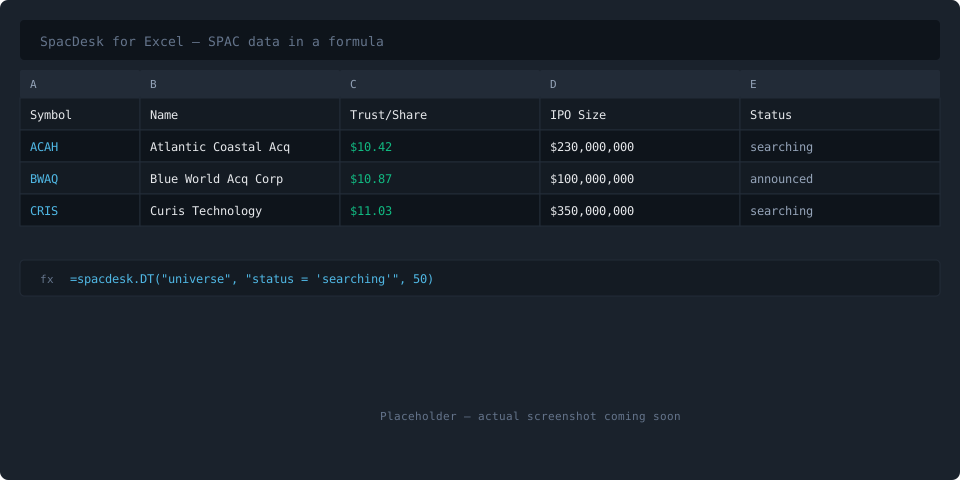
SpacDesk for Excel — SPAC data in a formula.
Pull the full SPAC universe, trust values, votes, redemptions, and 12 more tables directly into your spreadsheet. Type a formula, get live data — no copy-paste, no CSV exports, no stale snapshots.
Install in 3 steps
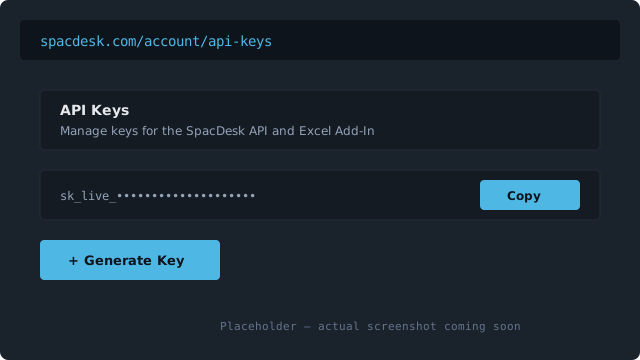
Generate an API key
Sign in to SpacDesk and generate an API key from your account settings. Copy the key — you'll paste it into Excel in step 3.
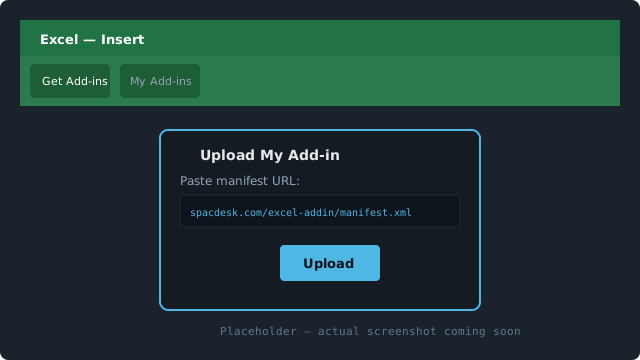
Upload the manifest in Excel
In Excel: Insert → Get Add-ins → Upload My Add-in. Paste this URL: https://spacdesk.com/excel-addin/manifest.xml
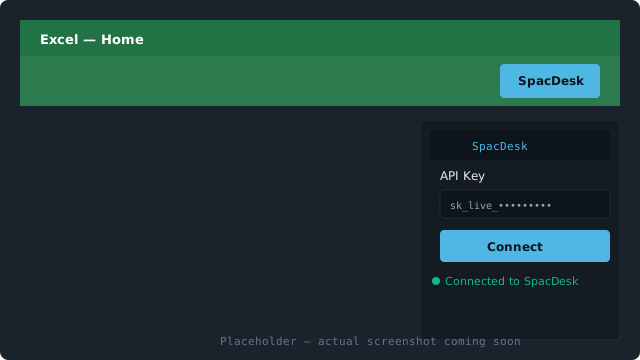
Connect your key
Open the SpacDesk task pane from the Home ribbon (click the SpacDesk button). Paste your API key and click Connect. You're ready to use formulas.
Formulas Reference
Four functions cover every query pattern. Click a formula to expand its full documentation and examples.
Tables Reference
16 tables available via the Excel Add-In. Click a table to see its columns.
Query Syntax Cheat Sheet
| Feature | Syntax | Example |
|---|---|---|
| Equals | column = value | status = 'searching' |
| Not equals | column != value | status != 'liquidated' |
| Greater / less than | column > value, column < value | trust_per_share > 10.50 |
| Greater/less or equal | column >= value, column <= value | ipo_size >= 200000000 |
| LIKE (wildcards) | column LIKE 'pattern' | name LIKE '%Capital%' |
| NULL check | column = NULL, column != NULL | target_name != NULL |
| AND / OR | expr AND expr, expr OR expr | status = 'searching' AND trust_per_share > 10 |
| NOT | NOT expr | NOT status = 'liquidated' |
| Parentheses | (expr OR expr) AND expr | (status = 'searching' OR status = 'announced') AND ipo_size > 100000000 |
| DATE literal | DATE 'YYYY-MM-DD' | ipo_date >= DATE '2024-01-01' |
| INTERVAL arithmetic | DATE '...' + INTERVAL 'N unit' | deadline <= DATE '2026-01-01' + INTERVAL '6 months' |
| ORDER BY | ... ORDER BY col [ASC|DESC] | trust_per_share > 10 ORDER BY ipo_size DESC |
| Multi-sort | ORDER BY col1 ASC, col2 DESC | ORDER BY status ASC, ipo_date DESC |
String values use single quotes. Wildcards (% for any characters, _ for a single character) work with LIKE. INTERVAL units: years, months, days, hours, minutes, seconds.
The Excel Add-In is available on the Pro plan and above.
View pricing